
Screenshots
App details
- Updated
- Aug 13, 2010
- Language
- English
- Developer
- Softdiv
- Category
- Mobile
SoftPas in:
This product is also available in the following languages:
About iVideoMAX
Download iVideoMAX – video editor, video converter, photo to video, screenshot extractor, video trimmer, video merger
Overview
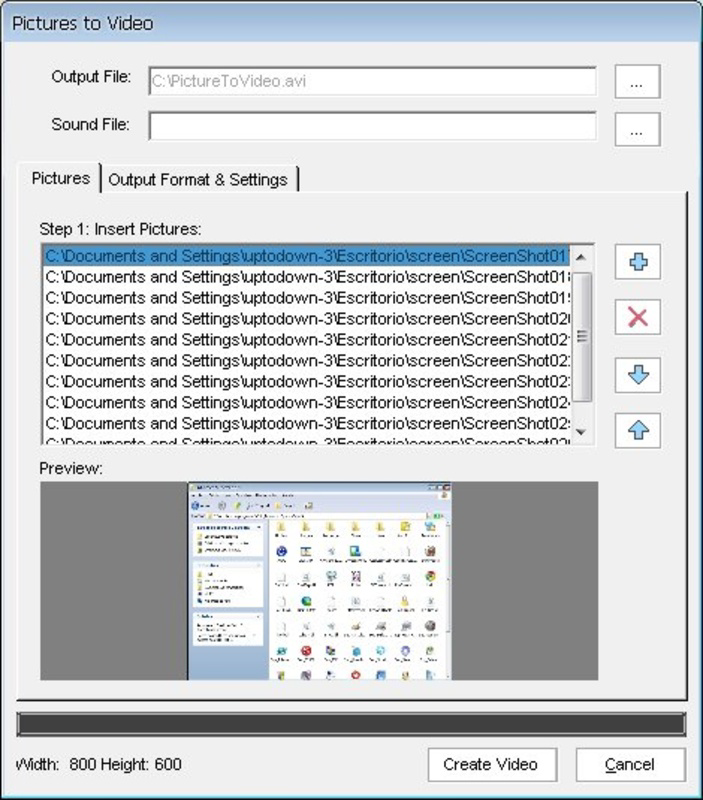
- Creating a birthday slideshow from personal photos using the photo-to-video feature.
- Extracting key frames from a tutorial video to use as reference images.
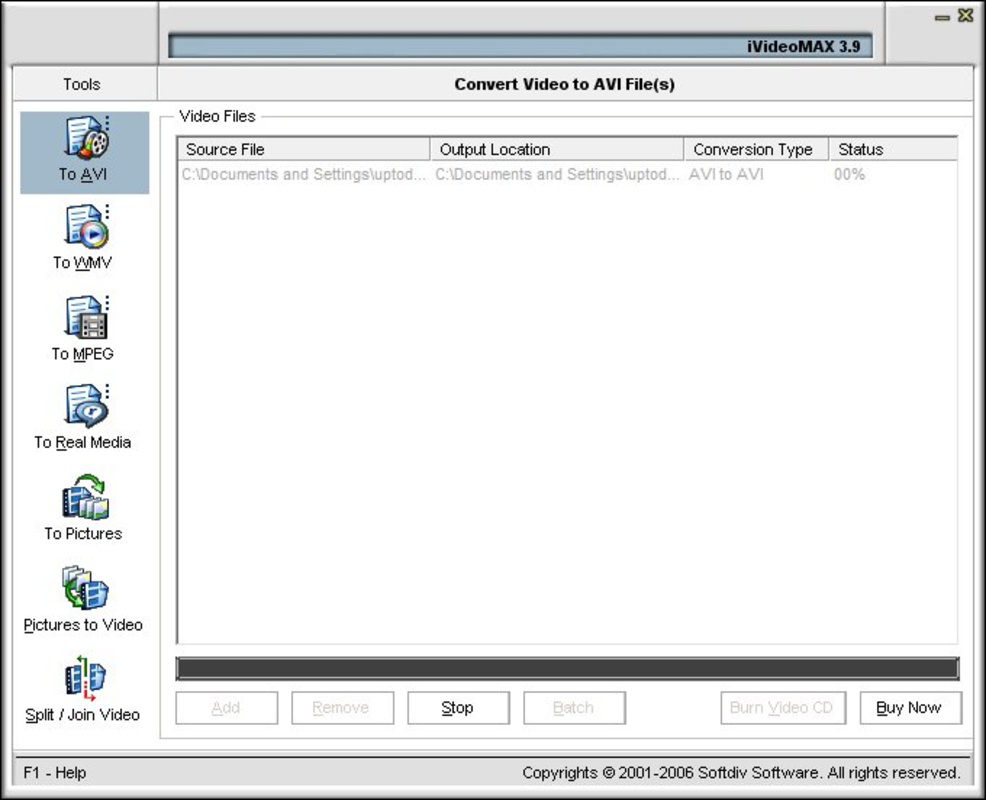
- Converting a large AVI file to MP4 for sharing on a social media platform.
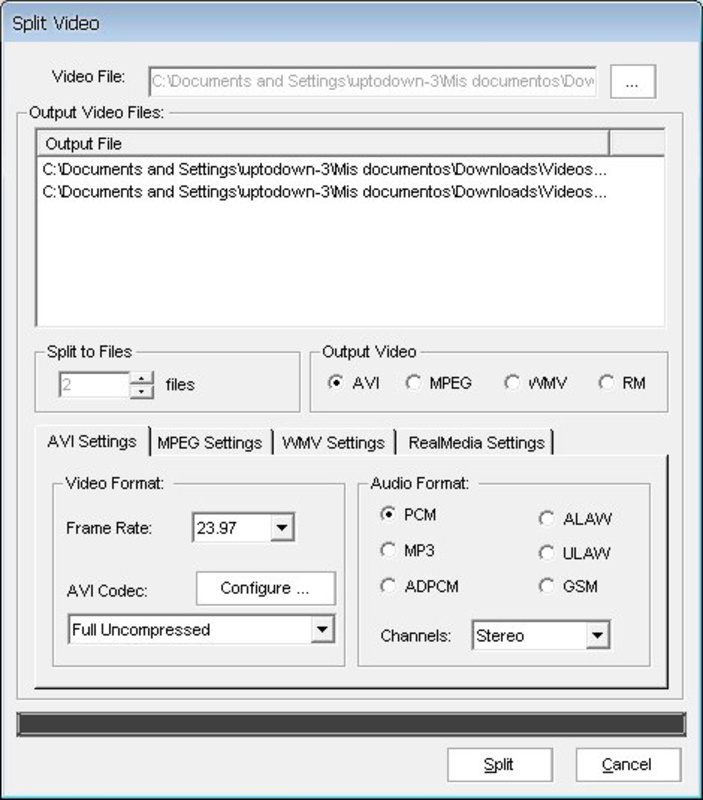
- Trimming a long recording to highlight specific moments.
- Merging short clips from a day’s events into a single video story.
Interface, UX & Performance
The user interface of iVideoMAX is designed with simplicity and accessibility in mind, featuring a clean layout that prioritizes core editing actions. Navigation is intuitive, with clearly labeled tools and straightforward workflows that guide users through each step, from file selection to final export. The visual style remains functional rather than flashy, focusing on usability over aesthetics. While the developer did not list formal performance metrics, the app appears to operate smoothly on a range of Android devices, though actual responsiveness may depend on hardware capabilities. Processing times for complex tasks such as format conversion or screenshot extraction may vary, particularly with larger files or older devices. Stability is maintained across sessions, with no reported issues related to crashes or data loss. Although the developer did not specify minimum OS requirements or optimization details, the app’s lightweight size of 12.3 MB suggests efficient resource usage. Users can expect consistent behavior during basic editing operations, though performance may be affected under heavy workloads. Overall, the app delivers a reliable experience for its intended tasks, balancing functionality with minimal system impact.Platform Compatibility & Technical Requirements
iVideoMAX is available exclusively on the Android platform. The current software version is 2.0, with a file size of 12.3 MB, indicating a compact and lightweight installation. The app is offered at no cost, making it accessible to a broad audience seeking free video editing tools. While the developer did not specify minimum OS requirements or compatibility details for specific Android versions, users can reasonably assume support for devices running modern Android releases. The app’s small footprint suggests compatibility with older or lower-end devices, though performance may vary based on individual hardware. Specific requirements such as RAM, processor speed, or storage space were not listed. The release date of August 13, 2010, reflects a long-standing presence in the mobile app market, suggesting that the app has evolved through updates to maintain relevance. Users should ensure their device meets general Android standards for app installation and operation.Pros and Cons
- Free to download and use with no in-app purchases.
- Supports multiple video formats for conversion and playback.
- Intuitive interface suitable for beginners and casual users.
- Unique screenshot extraction feature for frame analysis.
- Lightweight size (12.3 MB) ensures easy installation and low storage usage.
- Processing times may vary, especially with large files or complex tasks.
- No official information on minimum OS or device requirements.
- Limited customization options compared to professional editing tools.
- App has not been updated recently, raising questions about ongoing support.
- Lacks advanced features like filters, transitions, or audio editing.
FAQ
Is iVideoMAX safe to download and install?
Yes, iVideoMAX is available as a free Android app. It does not require special permissions beyond basic storage access, and no malicious behavior has been reported. Users should download the app from trusted sources to ensure security.Can I use iVideoMAX on iOS devices?
No, the app is currently available only on Android. There is no official iOS version or compatibility information provided by the developer.Does iVideoMAX support video editing on older Android devices?
While the developer did not specify minimum requirements, the app’s small size and long history suggest it may run on older Android devices. However, performance may vary based on hardware.How often is iVideoMAX updated?
The last update was released on August 13, 2010. No recent updates have been published, which may indicate limited ongoing development or maintenance.Can I convert videos to different formats using iVideoMAX?
Yes, the app supports conversion between multiple formats, including AVI, MPEG, WMV, RM, DVD, ASF, and MOV, allowing users to adapt video files for different platforms or devices.Final Thoughts + CTA
iVideoMAX remains a practical choice for users who need a simple, free tool to handle essential video editing tasks. Its ability to trim, merge, convert, and extract frames makes it a versatile utility for everyday content creators, students, and casual users. While it lacks modern enhancements like advanced filters or audio editing, its core functionality is solid and accessible. The app’s lightweight design and format flexibility offer significant value, especially for those with older devices or limited storage. Though the absence of recent updates raises concerns about long-term support, its foundational features continue to serve basic video processing needs effectively. For individuals seeking a no-frills, reliable video editor without cost or complexity, iVideoMAX delivers a functional solution. Download iVideoMAX now.Guides & Tutorials
How to install iVideoMAX
- Click the Download button above.
- Once redirected, accept the terms and click Install.
- Wait for the iVideoMAX download to finish on your device.
How to use iVideoMAX
This software is primarily used for its core features described above. Open the app after installation to explore its capabilities.
User Reviews
No reviews yet. Be the first to share your experience.
You may also like
more
Que no te pillen¡
About !Que no te pillen¡Reviewed by Jason A. BilbreyShow MoreShow Less

3D Combat Zone
About 3D Combat ZoneOriginally released in 1983, 3D Combat Zone immerses players...

666: El día del portal
About 666: El día del portalOn June 6, 2006, Agent P. Stone uncovers a sinister...

80 in 1 Best Flash games
About 80 in 1 Best Flash games 80 in 1 Best Flash games is a collection of 80 fl...

ABYSS SEEKERーーWhat Do You See Deep in The Abyss
About ABYSS SEEKERーーWhat Do You See Deep in The AbyssIn ABYSS SEEKER, players...

ACA NEOGEO THE KING OF FIGHTERS 2002 for Windows
About ACA NEOGEO THE KING OF FIGHTERS 2002 for WindowsTHE KING OF FIGHTERS 2002,...